A Website That Generates Leads: 10 Essentials for Small Business Websites in 2026
 By Aniket Gupta, digital marketer & SEO expert
10 min read
Practical guidance from hands-on SEO, website and ads work for small businesses. Prices are my published rates; every other figure links to its source at the end.
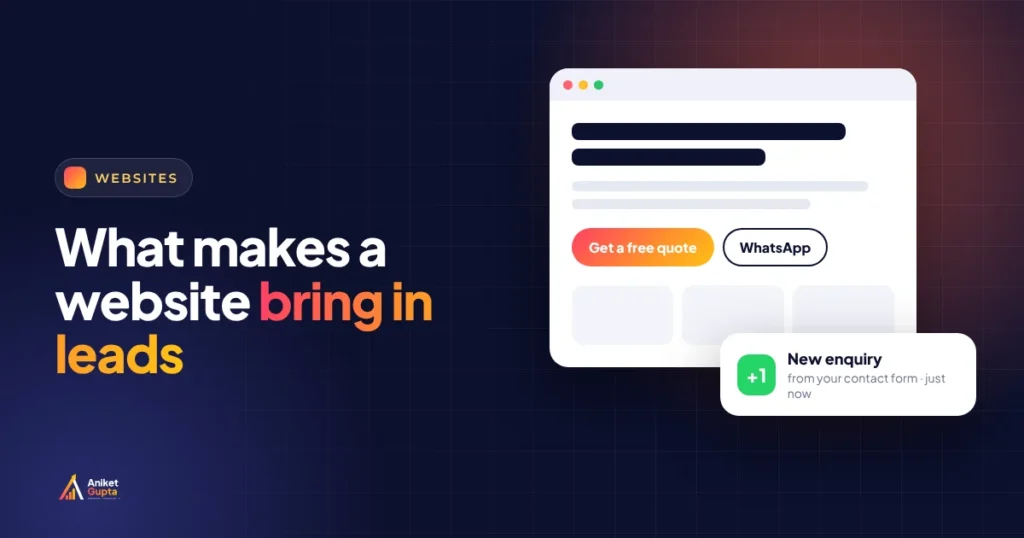
Most small-business websites don’t have a traffic problem. They have a “now what?” problem. A visitor lands, can’t tell in five seconds what you do, where you are or how to reach you, and goes back to Google to pick the next result. Fixing that usually costs less than buying more traffic, and it makes every rupee you spend on SEO and ads work harder. Here are the 10 essentials I check first on every website, with the research behind each one and a scorecard to grade your own site in ten minutes.
Key takeaways
- A typical landing page converts about 6.6% of visitors (Unbounce’s median across 41,000+ pages). Simpler pages written in plain language converted best.
- 84% of web traffic in India is on mobile, so call and WhatsApp buttons must be one thumb-tap away.
- Speed sells: Vodafone saw 8% more sales after making its main content load 31% faster.
- Trust converts: 74% of people look for reviews from the last three months before choosing a local business (BrightLocal, US, 2026).
- Speed of follow-up decides what happens next. Track every call, form and WhatsApp tap, and reply within the hour.
Why most small-business websites don’t bring leads
When I review a website that “doesn’t work”, the cause is rarely the design. It’s usually one of these:
A clever headline, a slider and no plain statement of the service, the area and who it’s for.
Phone number hidden in the footer, a 12-field form, no WhatsApp.
Stock photos, no reviews, no address, no faces, no prices.
Heavy sliders, uncompressed images and too many plugins.
Form emails nobody checks, WhatsApp replies after a day.
No tracking, so nobody knows which page or ad brings enquiries.
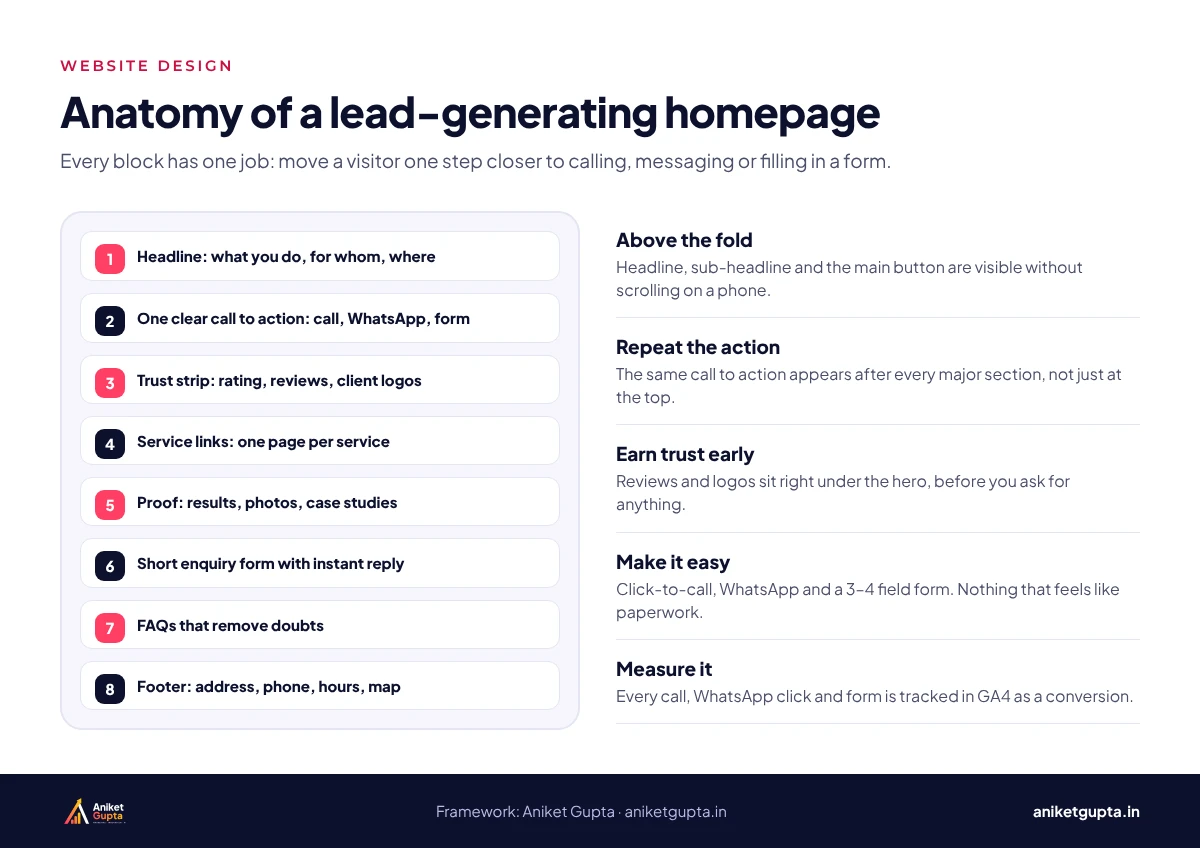
1. A clear offer above the fold
Your first screen should answer three questions without scrolling: what you do, who it’s for and where, plus one obvious next step. “Physiotherapy clinic in Preet Vihar for back, neck and sports injuries. Book a visit” beats “Your journey to wellness starts here” every time.
- A headline that names the service and the area.
- One line on why you, such as experience, a guarantee or availability.
- A primary button (call, WhatsApp or book) and nothing competing with it.
- A real photo of you, your team or your work.
Plain words win. Unbounce’s analysis of 41,000+ landing pages found pages written at a 5th–7th grade reading level converted at 11.1%, more than double pages written at a professional level (5.3%). Short sentences and common words aren’t “dumbing down”; they’re faster to understand on a phone.
2. One page for every service
If all your services sit on one “Services” page, Google has one page to rank for all of them, and visitors have to scroll to find theirs. A separate page for each main service lets you rank for each search (“root canal in Laxmi Nagar”, “GST registration consultant Delhi”) and answer that customer’s questions properly.
This isn’t just my preference. In Whitespark’s 2026 survey of local SEO experts, a dedicated page for each service was rated the number-one factor for ranking in local organic results.
3. Speed on a mid-range phone
Most of your visitors use a mid-range Android phone on mobile data, not your office Wi-Fi. Google measures their experience with Core Web Vitals:
| Metric | What it measures | Good |
|---|---|---|
| Largest Contentful Paint (LCP) | How fast the main content appears | 2.5 seconds or less |
| Interaction to Next Paint (INP) | How quickly the page responds to a tap | 200 ms or less |
| Cumulative Layout Shift (CLS) | How much the layout jumps | 0.1 or less |
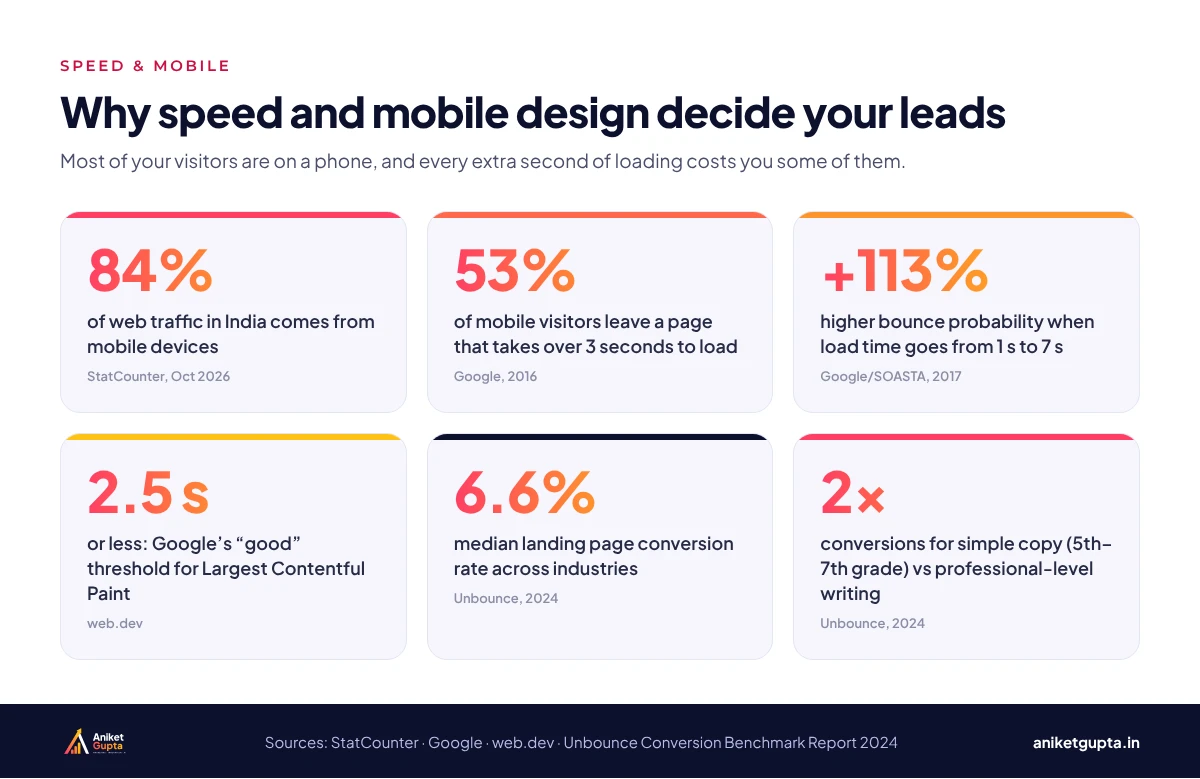
The business case is clear. Vodafone ran an A/B test in which a 31% faster LCP led to 8% more sales and a 15% better lead-to-visit rate. Quick wins: compress images (WebP), remove sliders and unused plugins, and use proper hosting.
4. Thumb-friendly calls and WhatsApp
StatCounter puts mobile at 84.21% of web traffic in India (October 2026), and Unbounce found about 83% of landing page visits are on mobile. On a phone, the easiest action wins:
- A tap-to-call button and a WhatsApp button visible without scrolling.
- A sticky bottom bar with “Call” and “WhatsApp” on mobile.
- WhatsApp links that open a pre-filled message (“Hi, I’d like to book a consultation”).
- Buttons at least 48 pixels tall, with space between them.
5. Short forms that ask only what you need
Every extra field is another reason to leave. For a first enquiry, ask for a name, a phone number and one question that helps you prepare (“What do you need help with?”). You can collect the rest on the call.
The 10-field form
Name, email, phone, company, city, budget, timeline, service, how you found us, message.
- Feels like paperwork
- Drops off on mobile
- Asks things you’ll ask anyway
The 3-field form
Name, phone, “What do you need help with?”
- Takes 20 seconds on a phone
- Gives you enough to call back
- Add a WhatsApp option beside it
6. Proof that you’re real and good
People compare you with the next result in seconds. In BrightLocal’s 2026 survey of US consumers, 85% were more likely to use a business after reading positive reviews, 74% looked for reviews from the last three months, and 31% would only use businesses rated 4.5 stars or higher.
- Recent Google reviews shown on the page, with a link to your profile.
- Real photos of your team, premises and work.
- Your address, a map and your GST or registration details where relevant.
- Specific results (“40 implants placed in 2025”, “rated 4.9 from 27 reviews”), not vague claims.
7. Prices, or at least price guidance
“Contact us for pricing” makes people assume you’re expensive. You don’t need a full rate card, but a starting price, a range or “what affects the price” removes the biggest reason people leave without asking. It also filters out enquiries that were never going to fit your budget.
Try this: add a short “How much does it cost?” section to each service page with a starting price and the three things that change it. It’s also exactly the kind of answer Google and AI tools like to quote.
8. Local signals that match your Google Business Profile
For local businesses, your website and your Google Business Profile work as a pair. Use the same business name, address and phone number everywhere, mention the areas you serve in natural language, link your profile to the most relevant page, and embed a map on your contact page.
9. Tracking for every call, form and WhatsApp tap
If you can’t see which pages and ads produce enquiries, you can’t improve them. Set up Google Analytics 4 with key events for form submissions, call clicks and WhatsApp clicks, and connect Search Console.
Count micro-conversions honestly. A tap on “Call” or “WhatsApp” shows intent, not a confirmed enquiry. Track taps as micro-conversions and count real conversations and form enquiries separately, then match them to sales where you can.
10. Fast follow-up, ideally within the hour
The website’s job ends when someone gets in touch; yours starts. A widely cited Harvard Business Review study (2011) found companies that responded to online leads within an hour were nearly seven times as likely to qualify the lead as those that waited even an hour longer. The study is old, but buyers haven’t become more patient.
- Send leads where you’ll see them A WhatsApp alert or CRM notification, not an inbox nobody checks.
- Reply automatically, then personally An instant “Thanks, we’ll call you within the hour” message, followed by a real call.
- Follow up twice more Many enquiries convert on the second or third contact.
If this is where leads leak, a simple marketing automation set-up routes every enquiry to your phone and follows up for you.
Score your website in 10 minutes
Open your site on your phone and give yourself one point for each “yes”:
| Check | Score if yes |
|---|---|
| Does the first screen say what you do and where? | 1 point |
| Is there a separate page for each main service? | 1 point |
| Does it load in under three seconds on mobile data? | 1 point |
| Can you call or WhatsApp in one tap from every page? | 1 point |
| Is the enquiry form three or four fields at most? | 1 point |
| Are recent reviews and real photos visible? | 1 point |
| Is there a price or price guidance? | 1 point |
| Do the name, address and phone match your Google profile? | 1 point |
| Are calls, forms and WhatsApp clicks tracked in GA4? | 1 point |
| Does someone reply to new enquiries within an hour? | 1 point |
Common mistakes that kill enquiries
- Sliders and auto-playing videos on the homepage: slow, and few people wait for slide three.
- Stock photos of smiling strangers instead of your team and your work.
- A contact page as the only way to get in touch. Every page should have a way to reach you.
- Pop-ups that open by themselves, especially on mobile. Offer help when people ask for it.
- Ads sent to the homepage instead of a page about the offer in the ad.
- Nobody owns the leads. Decide who replies, how fast and how you record the outcome.
A 30-day plan to fix it
- Week 1: measure Set up GA4 key events and Search Console. Note how many calls, forms and WhatsApp chats you get now.
- Week 2: fix the first screen Rewrite headlines and buttons on the homepage and top service pages. Add sticky call and WhatsApp on mobile.
- Week 3: add trust and speed Add reviews, real photos and price guidance. Compress images and remove what slows the site.
- Week 4: fix follow-up Route enquiries to WhatsApp or a CRM with an instant reply, and agree a one-hour response rule.
Want a website that’s built to bring enquiries?
I design and build fast, mobile-first WordPress websites with service pages, tracking and WhatsApp built in, with business websites from ₹20,000 plus GST.
Related guides
FAQs
What makes a website generate leads?
A clear offer on the first screen, a page for each service, fast loading on mobile, one-tap call and WhatsApp buttons, short forms, visible reviews and proof, price guidance, local signals, tracking and fast follow-up.
What is a good conversion rate for a website?
Unbounce’s analysis of 41,000+ landing pages put the median at 6.6%. Service pages on a full website usually convert lower than focused landing pages, so compare your own pages over time.
How many fields should a contact form have?
For a first enquiry, three or four: name, phone, and what they need. Ask for everything else on the call.
Does website speed really affect leads?
Yes. In Vodafone’s A/B test published on web.dev, a 31% faster Largest Contentful Paint brought 8% more sales and a 15% better lead-to-visit rate.
Should I add a WhatsApp button to my website?
For most Indian small businesses, yes. Use a click-to-chat link with a pre-filled message, and track clicks as micro-conversions in GA4.
Should I show prices on my website?
Show at least a starting price or what affects the price. It answers the most common question and filters out enquiries that won’t fit your budget.
How do I know which pages bring enquiries?
Set up Google Analytics 4 key events for form submissions, call clicks and WhatsApp clicks, and connect Search Console to see which searches bring visitors.
How fast should I reply to website enquiries?
Within the hour where possible. Harvard Business Review’s study found companies responding within an hour were nearly seven times as likely to qualify a lead.
Sources
- Unbounce: Conversion Benchmark Report (41,000+ landing pages)
- StatCounter: Desktop vs mobile vs tablet market share, India
- web.dev: Vodafone, a 31% improvement in LCP increased sales by 8% (2021)
- web.dev: Web Vitals
- BrightLocal: Local Consumer Review Survey 2026 (via PinMeTo summary)
- Whitespark: Local Search Ranking Factors
- Harvard Business Review: The Short Life of Online Sales Leads (2011)
- Google Analytics Help: About key events