How to read these results
Why I show Search Console data, not screenshots of rankings
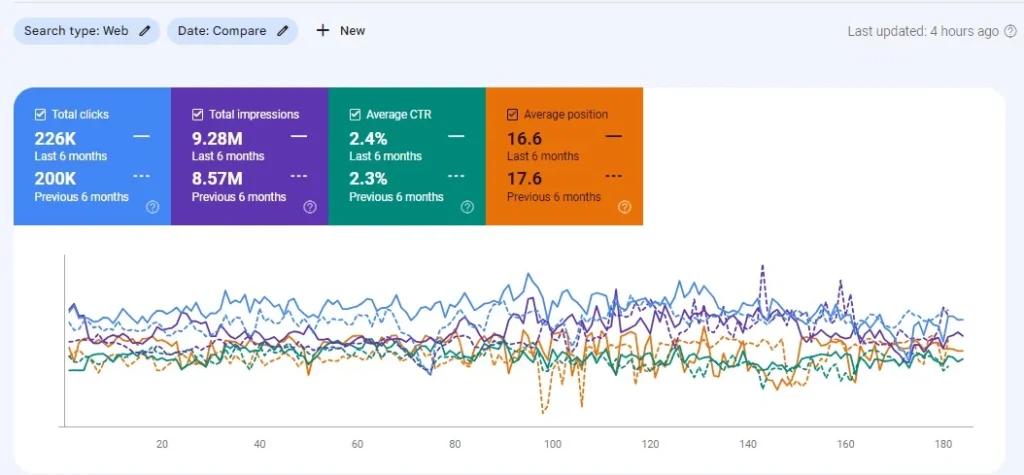
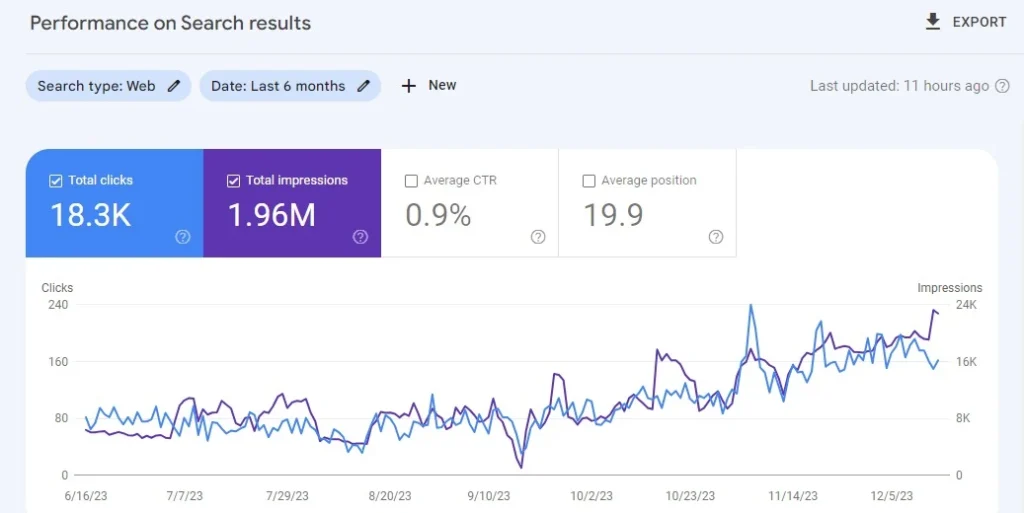
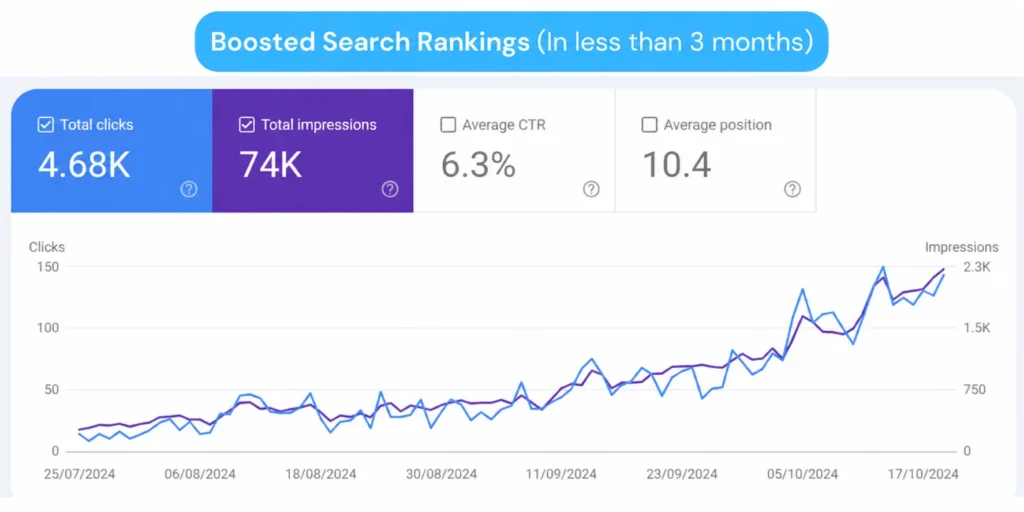
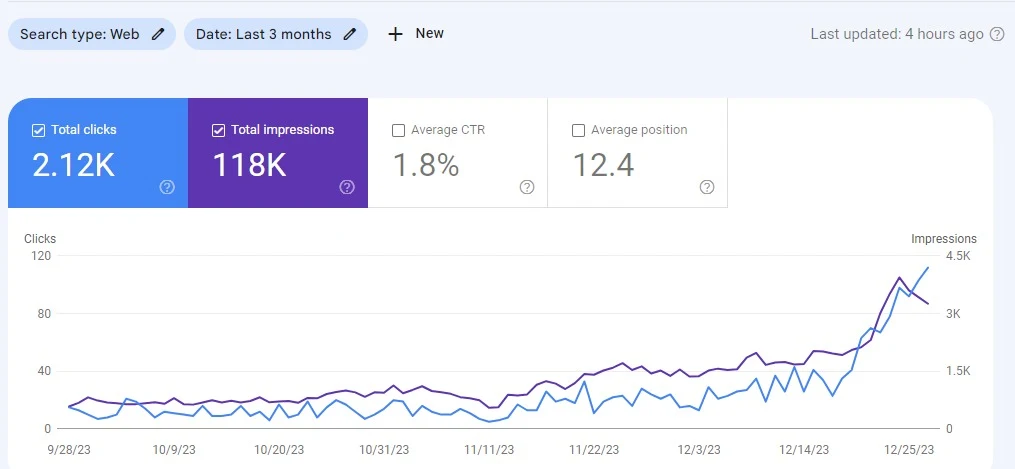
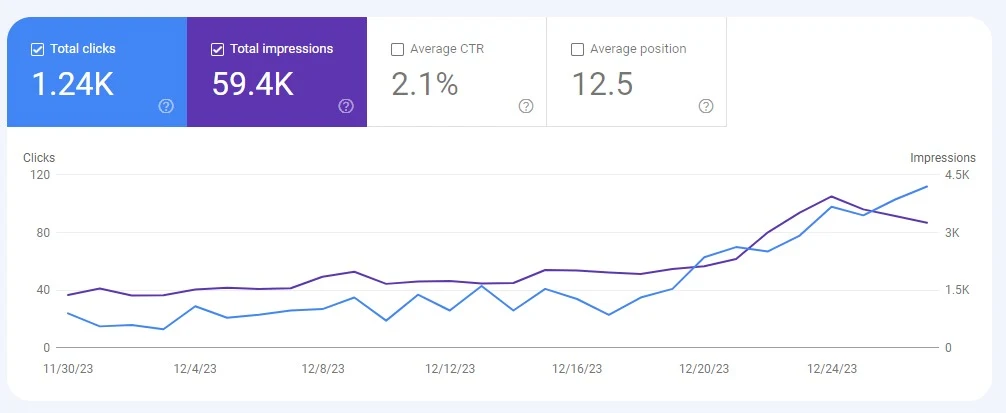
Ranking screenshots are easy to fake and easy to cherry-pick: one keyword, one location, one good day. Google Search Console is different. It’s Google’s own record of how often a site appeared in search (impressions) and how often searchers clicked through (clicks; one person can click more than once). It also shows the click-through rate and the average position across every query.
That’s why every case study below is a Search Console screenshot. Clicks are the number that matters most: each one is a visit from someone who searched and chose the client’s website. One person can click more than once, so clicks are not the same as unique visitors or enquiries. Impressions show how visible the site has become, and average position shows the overall direction of travel.
The five accounts cover different sizes and timeframes, from an online store earning millions of impressions to a healthcare site in its first month of SEO. So you can see what progress looks like at each stage.
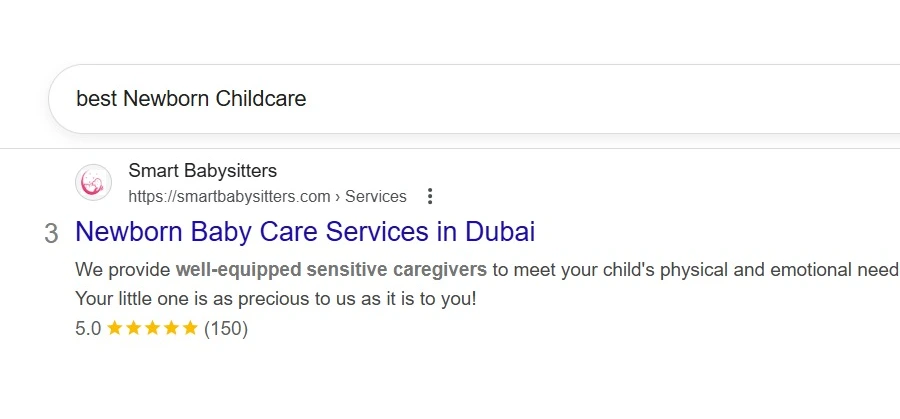
The ranking screenshots further down are extra context, not the main proof, and each caption gives its date range. If you’d like to check any of these accounts yourself, I’m happy to show the Search Console data live on a screen-share call, with the client’s permission.