Process map
The task broken into steps, with who approves what, before anything is built.
- Hours-saved estimate
- Risks noted
AI agents & workflow automation
AI agents and workflows for the back office of a small business. Supplier invoices are read and entered, payment reminders set, weekly reports compiled and internal handoffs routed, all drafted for a person to approve. One workflow at a time, measured in hours saved.
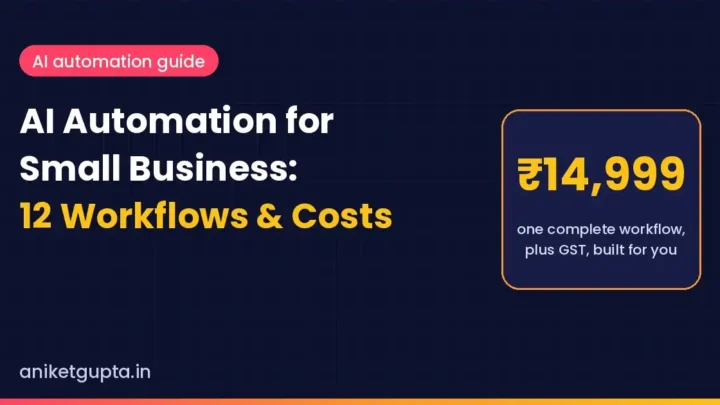
In short AI agents and workflows for the back office of a small business: invoices read and entered, payment reminders set, weekly reports compiled and handoffs routed, with a person approving each draft. One complete workflow starts at ₹14,999 plus GST, measured in hours saved.
How a workflow runs
Every workflow follows the same pattern. Something arrives (an email, a PDF, a form, a new row in a sheet), AI reads it and pulls out what matters, and simple rules check it. The result lands where your team works, with a person approving anything that’s sent or paid. The example here is supplier invoices; the same shape works for purchase orders, expense claims, job sheets and weekly reports.
Customer-facing work, such as replying to new leads, belongs to marketing automation and AI chatbots; this page is about the work behind the scenes.
Is it right for you?
The best first automations are boring, frequent and rule-based.
The same steps are repeated many times a week. Frequent, repetitive tasks save the most time when automated.
Data is moved between emails, sheets, forms and tools by hand, which is slow and easy to get wrong.
Typos, missed rows or forgotten follow-ups cause problems. Automation applies the same steps every time.
New enquiries sit unassigned until someone checks the inbox. Instant alerts and replies stop leads going cold.
Weekly numbers are pulled together manually from several places. Automated reports arrive ready on the same day each week.
Skilled people spend their time on admin instead of customers. Automation gives those hours back.
Honest fit check
Saying this up front saves us both time.
AI handles routine work; people stay in charge of decisions, especially anything involving customers or money.
We’d need to agree how the work should be done first. Automating an unclear process just makes the confusion faster.
Most useful workflows need some business data, handled safely and only what the workflow needs.
What I automate
Start with the back-office task that eats the most hours each week. These are six common places to begin.
Supplier invoices read, checked against orders and entered, with payment reminders for approval.
Draft quotes from a short brief and your price list, ready for you to check and send.
Incoming emails sorted, summarised and drafted replies prepared for common requests, ready for a person to check and send.
Weekly sales, ads and website numbers pulled together and summarised in plain words.
Invoices, forms and PDFs read and entered into sheets or software, with checks.
New orders, jobs or tickets routed to the right person with a summary and a deadline.
Why now
McKinsey’s 2025 global survey found 88% of organisations now use AI in at least one business function, but only 23% are scaling AI agents anywhere in the business. LinkedIn’s 2025 research found 92% of SMBs say they use AI to automate workflows. The gap is rarely the tools; it’s turning a messy task into a clear, tested workflow.
That’s the work: map the task, decide where AI helps and where a rule is enough, build it, and measure the hours saved. For rule-based follow-up and CRM setup without AI, see my marketing automation services; for customer-facing chat, AI chatbot development. Both sit within my AI services for business.
23%of organisations are scaling AI agents (McKinsey, 2025)
What's included
Every workflow is documented, tested and owned by you.
The task broken into steps, with who approves what, before anything is built.
Built with tools like Zapier, Make or n8n and the AI model that suits the job.
Approved data only, human approval for anything sent or paid, and logs of every run.
Run on real past examples before going live, then watched for two weeks.
A one-page guide and a short video so your team knows how it works.
Optional review of runs, errors and hours saved, with improvements and the next workflow to automate.
Method
I pick one repetitive task, measure how long it takes today and design the automation with clear checkpoints where a person reviews the output. An AI specialist on my team builds and connects it.
The workflow runs alongside your team for a week before it takes over.
Tools: Make or Zapier, ChatGPT and other AI models, Google Workspace and your CRM.
How it works
Most single workflows go live in two to three weeks.
We list repetitive tasks and pick the one worth automating first.
Steps, rules, data and approvals agreed and written down.
Workflow built in your accounts and connected to your tools.
Run on real examples; edge cases fixed.
Live, monitored, and measured in hours saved.
Your first month
A sample first month for one AI workflow.
The current process mapped, with time spent and risks noted, so the benefit can be measured later.
A working version tested on real examples, including the awkward ones.
Live workflow with approvals and error alerts, so nothing fails silently.
Time saved, issues found and the next workflow to automate, agreed with you.
What decides the result
Automation should save time without creating new risks.
One process, mapped and tested, before adding more. Small wins build confidence and show the real time saved.
Approvals for anything that goes to customers or involves money, so AI never acts on its own where it matters.
Only the data the workflow needs, in tools you control, in line with the DPDP Act.
Failures send an alert instead of failing silently, so problems are fixed before anyone notices.
A simple guide so your team knows what runs, when and why.
Pricing
AI and automation-tool subscriptions are paid by you directly and listed in every quote.
One complete back-office workflow, for example supplier invoice to accounts sheet to payment reminder, tested end to end.
A WhatsApp or website AI agent trained on your FAQs, with booking and handover.
A half-day workshop with custom GPTs and simple rules for using AI safely.
Working together
The practical details, so there are no surprises. Anything specific to your project is written into your quote.
Related guides
Practical guides from my client work, with real prices and sources.
The 12 small-business jobs worth automating first, the tools and their prices, what a built workflow costs, a payback check and a 30-day plan.
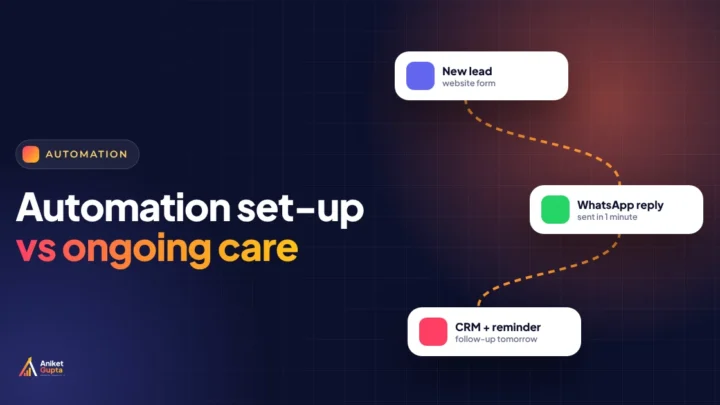
What a marketing automation set-up includes, what ongoing care covers after launch, why response speed matters according to Harvard research, how WhatsApp pricing works…

Your consultant
Independent digital marketing consultant, Laxmi Nagar, Delhi
Before I quote for AI automation, these are the first three things I look at. They're the same checks I run on client projects.
I pick a job that happens daily and follows clear rules, such as sorting enquiries or drafting quotes.
Most automations connect tools you already have, such as Google Sheets, a CRM and WhatsApp, instead of replacing them.
AI drafts and a person approves, at least until the workflow has proved itself.
FAQ
Still have a question? Call +91 93545 74690, message me on WhatsApp or email contact@aniketgupta.in.
One complete workflow starts at ₹14,999 plus GST. AI and automation-tool subscriptions are paid by you directly and listed in the quote, so you know the running cost upfront.
Software that can read information, decide on a next step using your rules and take an action, such as reading an invoice, updating a spreadsheet or drafting a quote. Good agents have clear limits and a person approving anything important.
The ones that are frequent, follow a clear pattern and take real time, such as entering invoice data, compiling weekly reports or routing internal requests. The free consultation ranks them by hours saved.
Workflows run in your own accounts, use only the data they need, and I prefer business AI plans that don’t train on your data. Sensitive data can be kept out entirely.
In small businesses it usually frees people from copy-paste work so they can spend more time with customers. Most workflows keep a person approving the final step.
Marketing automation runs fixed rules, such as sending a reminder on day three. AI automation adds judgement, such as reading a message and deciding the right reply. Many businesses use both.
I plan the workflow with you and test it before launch. An AI specialist on my team builds and connects it, and I stay your point of contact for changes and support.
Sources
Checked in November 2026. McKinsey’s survey is global; LinkedIn’s research covers SMBs nationally.
Free consultation
Tell me the three tasks your team repeats most each week. I'll show you which one to automate first and what it would save. Or WhatsApp +91 93545 74690.
Free consultation
Tell me how you handle enquiries, content or admin today, and I'll suggest one practical AI workflow to start with.
4.9 from 28 Google reviews (SEO & development)