
Website Redesign SEO Checklist: How to Protect Your Traffic
 By Aniket Gupta, digital marketer & SEO expert
7 min read
Written from my own client work since 2019. Prices are my published prices; every other figure is linked to its source at the end.
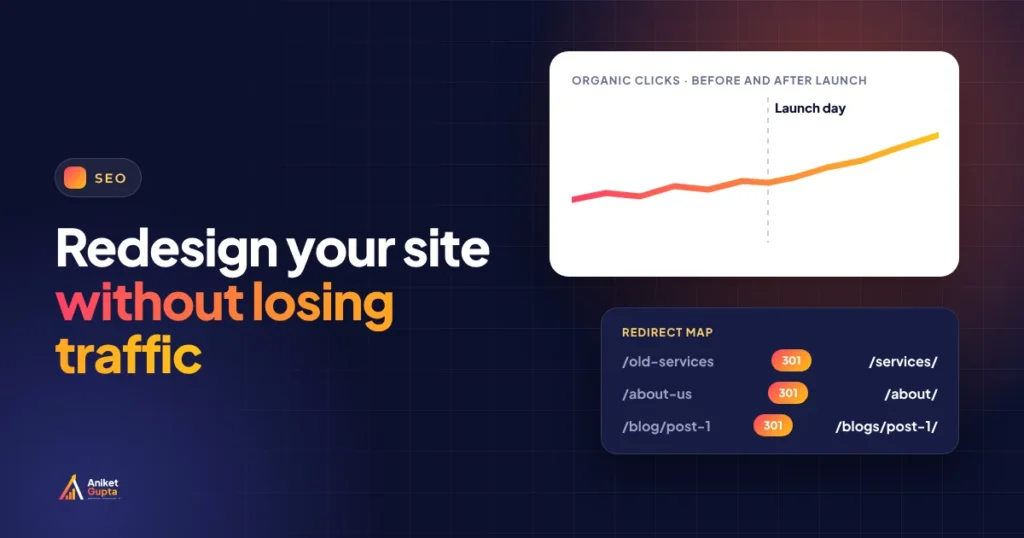
Key takeaways
- Most traffic losses after a redesign come from changed URLs without redirects and deleted content that used to rank.
- Record a baseline before anything changes: top pages, rankings, clicks and enquiries.
- Map every old URL to its closest new page and use permanent 301 or 308 redirects. Google says keep them “for as long as possible, generally at least 1 year”.
- A small to medium site “can take a few weeks for most pages to move” in Google, and temporary ranking changes are normal.
- Check indexing, redirects, titles, tracking and the sitemap on launch day, then watch Search Console closely for four weeks.
In this guide
A new website should bring more enquiries, not fewer. Yet a redesign is one of the most common reasons I see for a sudden drop in Google traffic. The cause is almost never the new design itself. It’s what gets lost along the way: old addresses with no redirects, pages that ranked quietly removed, titles rewritten without checking what they ranked for.
This checklist is the one I use on website redesign projects. It follows Google’s own documentation on site moves, linked at the end, and I’ve used it on the rebuild of this website.
Why redesigns lose traffic
| What goes wrong | What Google sees | How to prevent it |
|---|---|---|
| URLs change with no redirects | Old addresses return 404 errors | A redirect map, tested before launch |
| Pages that ranked are deleted or merged | The content it ranked is gone | Keep or improve pages that bring traffic |
| Titles and headings rewritten blindly | Pages look less relevant to their searches | Save and review top pages’ titles first |
| Search engines left blocked after launch | The site asks not to be indexed | Launch-day check of settings and robots.txt |
| Tracking breaks | Nothing, but you can’t see the drop | Test GA4 events on staging and at launch |
The four stages at a glance
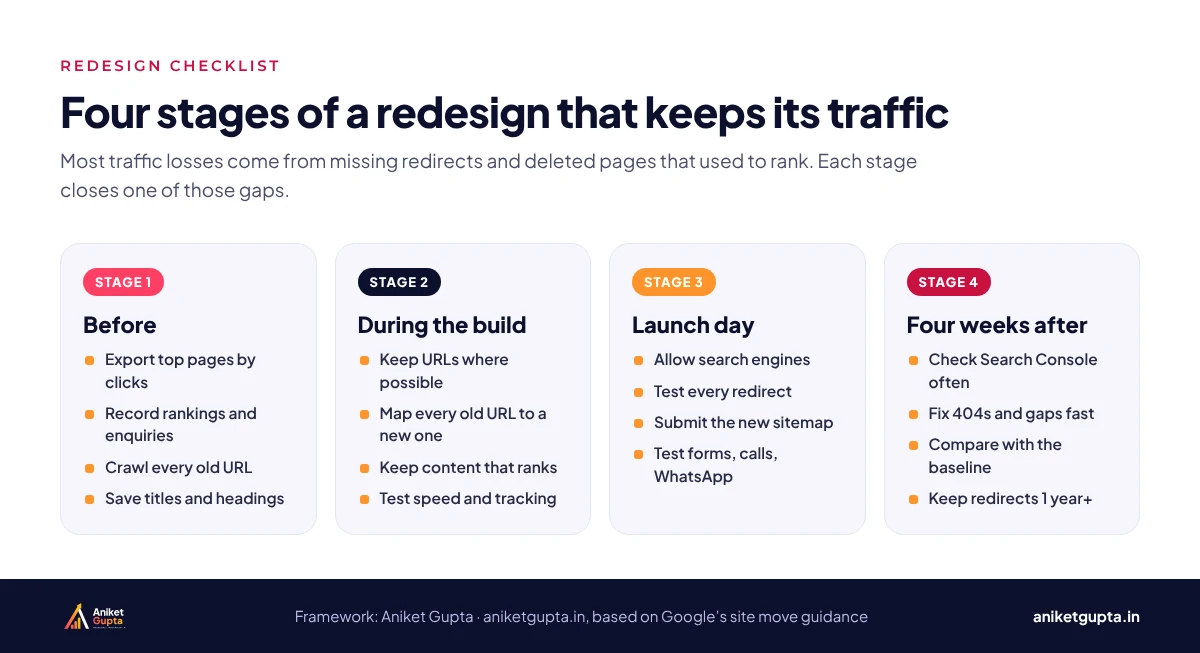
Stage 1: before the redesign
- Export your top pages by clicks from Search Console for the last 12 months.
- Record rankings for your most valuable searches, and note which pages rank for them.
- Note which pages bring enquiries in Google Analytics 4.
- Crawl the current site to list every URL, including images and PDFs that get traffic.
- Save the current titles, descriptions and headings of your top pages.
- List backlinks pointing to specific pages, so those pages are never left without a redirect.
Stage 2: during the build
- Keep the same URLs wherever you can. Google’s advice is to change one thing at a time where possible.
- Build a redirect map: one row per old URL with its new destination, pointing straight to the final page.
- Keep, or improve, the content that ranks.
- Carry over titles, schema, canonical tags and internal links, then improve them.
- Set up tracking for calls, forms and WhatsApp on the staging site.
- Test speed against Google’s Core Web Vitals on a real phone.
- Make sure the staging site itself is blocked from Google, so it isn’t indexed as a duplicate.
Stage 3: launch day
| Check | How | Done when |
|---|---|---|
| Search engines allowed | WordPress reading settings and robots.txt | No noindex, no Disallow: / |
| Redirects working | Test every row of the redirect map | Each old URL lands on its new page in one hop |
| Sitemap submitted | New XML sitemap in Search Console | Search Console shows it as read |
| Canonicals and titles | Crawl the new site | Every page has its own title and a self canonical |
| Tracking firing | Test a form, a call click and a WhatsApp click | Events appear in GA4 |
| Domain change only | Change of Address tool in Search Console | Submitted for the old domain |
Stage 4: the first four weeks
Check Search Console every few days for pages that aren’t indexed, 404 errors and drops in clicks. Compare against the baseline after two and four weeks, and fix any redirect or content gaps straight away. Some movement in rankings is normal while Google recrawls; a steady drop on specific pages usually points to a missing redirect or removed content.
- Days 1 to 7: check 404s and redirect errors daily.
- Weeks 2 to 3: compare clicks on your top 20 pages with the baseline.
- Week 4: full comparison with the baseline; fix anything still down.
- After that: keep the redirects in place for at least a year.
What Google says
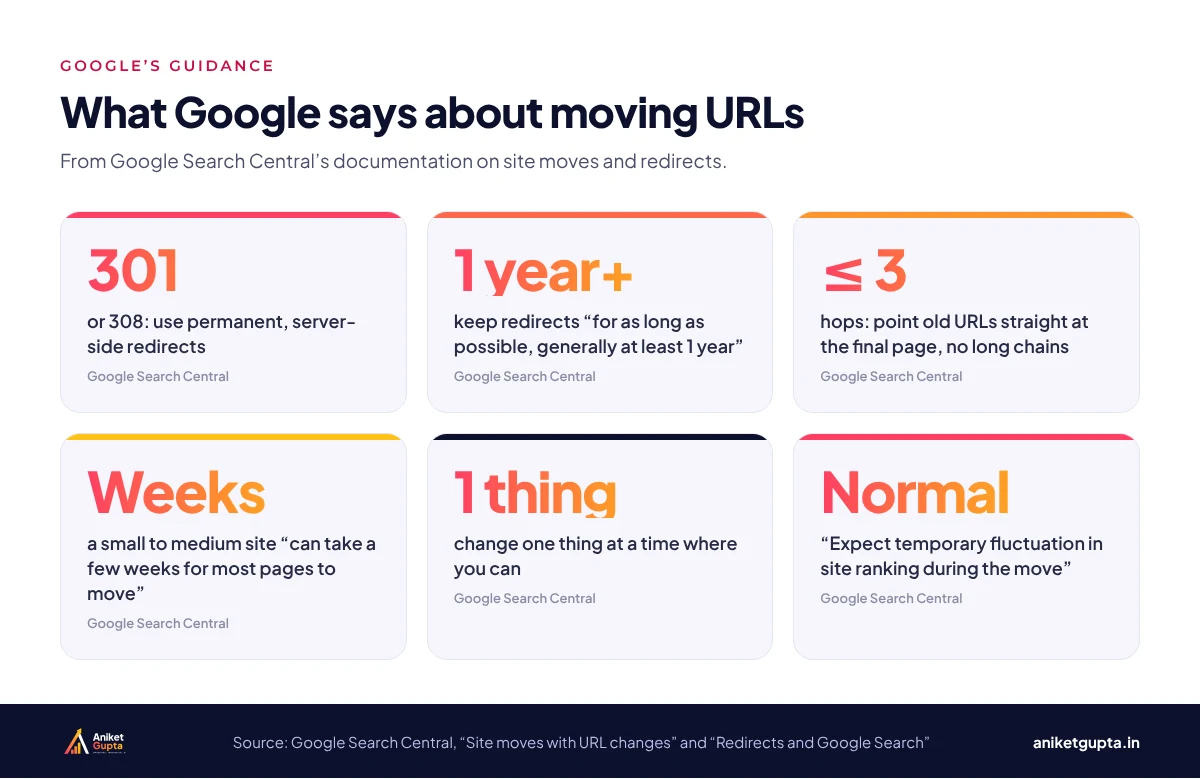
- Use server-side permanent redirects (301 or 308) where possible; client-side redirects are a last resort.
- Keep redirects “for as long as possible, generally at least 1 year”.
- Avoid redirect chains; point old URLs at the final destination, ideally with no more than three hops.
- “A small to medium-sized website can take a few weeks for most pages to move,” and larger sites take longer.
- “Expect temporary fluctuation in site ranking during the move.”
- For small and medium sites, Google recommends moving all URLs at once; large sites can move section by section.
A real example: rebuilding this website
I rebuilt aniketgupta.in in November 2026 using this checklist. The site was still hidden from search engines at the time, so there’s no before-and-after traffic to report yet, but the steps are the same:
- The old ChatGPT Ads page address was renamed, so the old URL now 301-redirects to the new one, and the menu and internal links were updated to point straight at it.
- Old blog URLs and category addresses redirect to their new homes, including a category that was removed.
- Two large screenshots were re-uploaded as WebP, cutting each one to under 60 KB.
- Before launch, a crawl of all 56 URLs confirmed one H1 each, a self-referencing canonical, valid structured data and no broken internal links.
- The sitemap was cleaned to list only pages and posts, with no category, tag or author archives.
A redirect map you can copy
| Old URL | New URL | Type | Status |
|---|---|---|---|
| /our-services/seo/ | /services/seo/ | 301 | Tested |
| /blog/seo-tips/ | /blogs/seo-tips/ | 301 | Tested |
| /gallery.php | /portfolio/ | 301 | Tested |
| /old-offer/ (no equivalent) | None | 410 | Tested |
Point each old URL to the most relevant new page, not to the home page. If there’s truly no equivalent, don’t force a redirect to a loosely related page: let the old URL return a 404 or 410 so Google drops it cleanly.
Common redesign mistakes
- Redirecting everything to the home page, which Google can treat as a soft 404.
- Leaving the staging site indexable, creating a duplicate copy in Google.
- Launching on a Friday evening, with nobody around to fix problems.
- Changing domain, design and URLs at once, which makes problems hard to trace.
- Removing redirects after a few months to clean up, which breaks old links again.
Planning a redesign?
I’ll record your SEO baseline and build the redirect map before the new design starts, then monitor Search Console for four weeks after launch.
Related guides
My take, from client work
The most important file in any redesign is the redirect map. Make it before the new site is built, not on launch day, and check it against the top pages in Search Console. In my experience, the biggest traffic drops after a redesign come from old URLs that were never redirected.
FAQs
Will a redesign hurt my SEO?
It doesn’t have to. Traffic drops usually come from missing redirects or removed content, both of which a checklist prevents.
Should I use 301 or 302 redirects?
Use permanent redirects, 301 or 308, for pages that have moved for good. Google recommends server-side permanent redirects where possible.
How long do redirects need to stay?
Google says to keep them for as long as possible, generally at least one year.
How long does Google take to process a redesign?
Google says a small to medium-sized site can take a few weeks for most pages to move, and larger sites take longer.
Is it normal for rankings to drop after launch?
Some temporary fluctuation is normal while Google recrawls. A steady drop on specific pages usually means a missing redirect or missing content.
Can I change my URLs to make them shorter?
You can, but only change them when there’s a real benefit, and always redirect the old ones.
Do I need to tell Google about a redesign?
For a new domain, use the Change of Address tool in Search Console. For a redesign on the same domain, submit the new sitemap and monitor indexing.
What should I record before a redesign?
Your top pages by clicks, rankings for key searches, pages that bring enquiries, every current URL and the titles of your top pages.